Olivia Digital Mode and FLDigi
Introduction
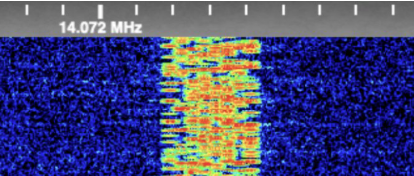
Olivia is a robust and highly efficient digital mode used in amateur radio for weak-signal communication. It is particularly effective for long-distance QSOs under poor propagation conditions. Olivia is available in various tone and bandwidth configurations, making it versatile for different HF band conditions.
One of the most popular software applications for operating Olivia is FLDigi, a cross-platform digital mode program that supports numerous digital protocols. This guide explores Olivia’s features, how to set it up in FLDigi, and its multi-OS support for Windows, Linux, and macOS.
What is Olivia?
Olivia is an MFSK-based digital mode that provides exceptional performance in noisy environments. It operates at low signal-to-noise ratios, making it ideal for QRP (low-power) operations and weak signal communications.
Key Features:
- Uses multiple frequency shift keying (MFSK) modulation
- Effective at very low SNR (-10dB or lower)
- Common configurations include 8/250, 16/500, and 32/1000 (tones/bandwidth in Hz)
- Works well in challenging HF conditions
- Ideal for keyboard-to-keyboard conversations
Installing FLDigi on Different Operating Systems
Windows Installation
- Download the latest FLDigi installer from https://www.w1hkj.com/.
- Run the installer and follow the setup wizard.
- Once installed, launch FLDigi and configure your sound card and rig control settings.
Linux Installation (Debian/Ubuntu)
sudo apt update
sudo apt install fldigi
For other distributions, FLDigi is available in package managers like dnf (Fedora) or yay (Arch-based systems).
macOS Installation
brew install fldigi
Alternatively, you can download the macOS package from the official FLDigi website.
Setting Up Olivia in FLDigi
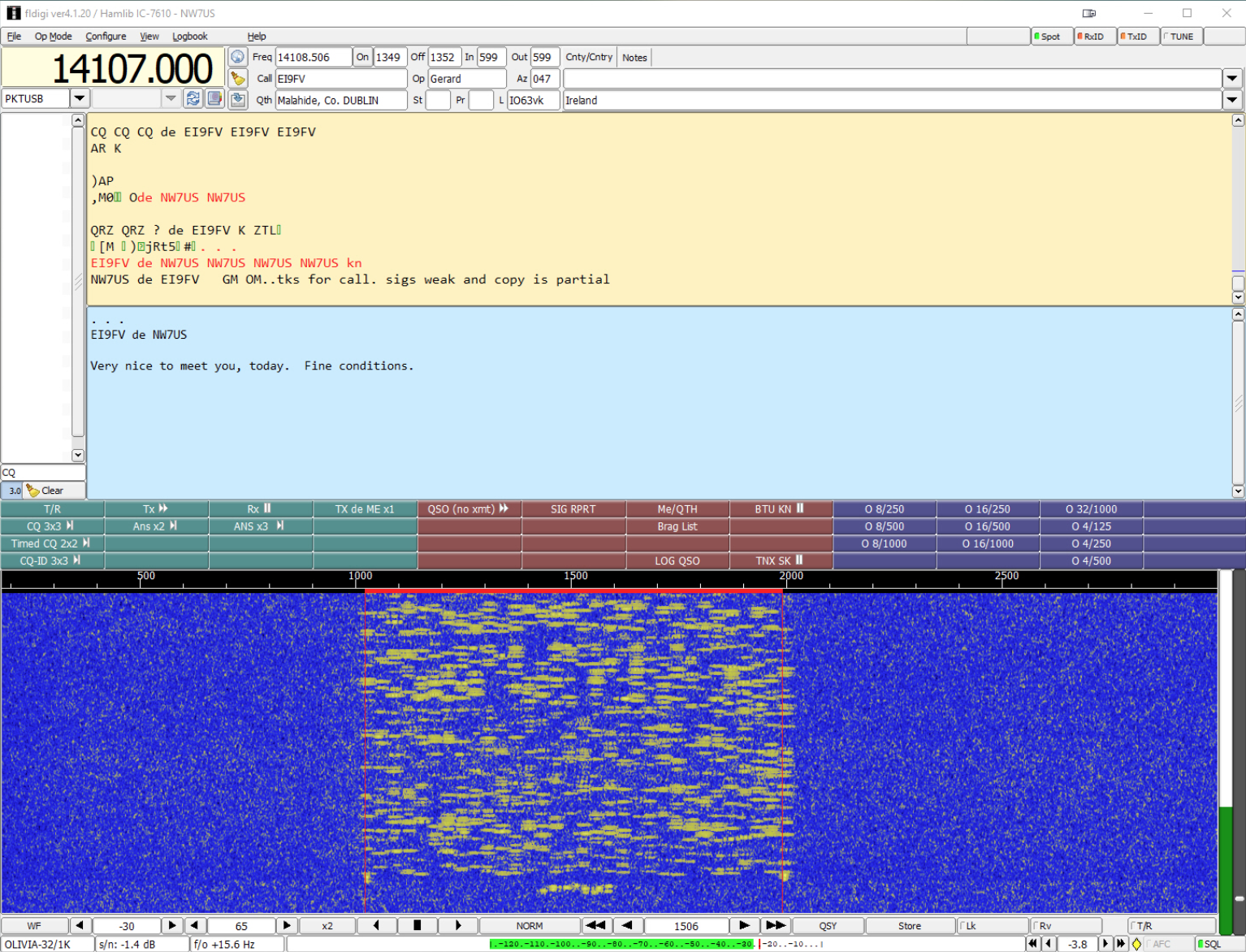
- Open FLDigi and navigate to Op Mode > Olivia.
- Select the appropriate tone/bandwidth setting (e.g., Olivia 8/250 for 40m QSOs).
- Configure your audio input/output from the Soundcard settings.
- Set up CAT/PTT control for rig interface (if needed).
- Tune to an active Olivia frequency and start decoding.
Common Olivia Frequencies:
- 3.582 MHz (80m)
- 7.073 MHz (40m)
- 14.105 MHz (20m)
- 21.105 MHz (15m)
Using Olivia for QSOs
- Tune your radio to an Olivia calling frequency.
- Start decoding signals in FLDigi’s waterfall display.
- If you see an Olivia signal, start typing in the main text window.
- The software automatically encodes and transmits your text.
- Use macro buttons to send quick messages like CQ calls.
Multi-OS Support and Remote Operation
FLDigi supports remote operation over network interfaces, allowing cross-platform QSOs from different computers or even mobile devices using remote desktop solutions.
Remote Options:
- VNC/RDP for controlling a Windows or Linux machine from another device
- RigCAT or Hamlib for rig control over a network
- Raspberry Pi + FLDigi for a portable Olivia station
Conclusion
Olivia, paired with FLDigi, is an excellent choice for weak-signal HF communications. Its multi-OS support ensures that operators can use it on their preferred platform with minimal setup. Whether you’re using Windows, Linux, or macOS, Olivia remains a reliable mode for making solid QSOs even in difficult band conditions.
For more information, visit the FLDigi documentation or join an Olivia net on HF!