FT8/FT4 Top Tips
Introduction
FT8 and FT4 are among the most popular digital modes in amateur radio, allowing for weak-signal communication over long distances. This guide provides top tips for maximizing your success with these modes, including tools like DXCluster, DXHeat, Club Log, JTAlert, and HamAlert. We also cover operating strategies for Fox & Hound and SuperFox modes.
DXCluster – Finding Active DX Stations
DXCluster is a network of user-submitted DX spots, helping operators find rare or interesting stations. Popular DXCluster websites include:
You can also access DXCluster via logging software like N1MM, Logger32, and HRD.
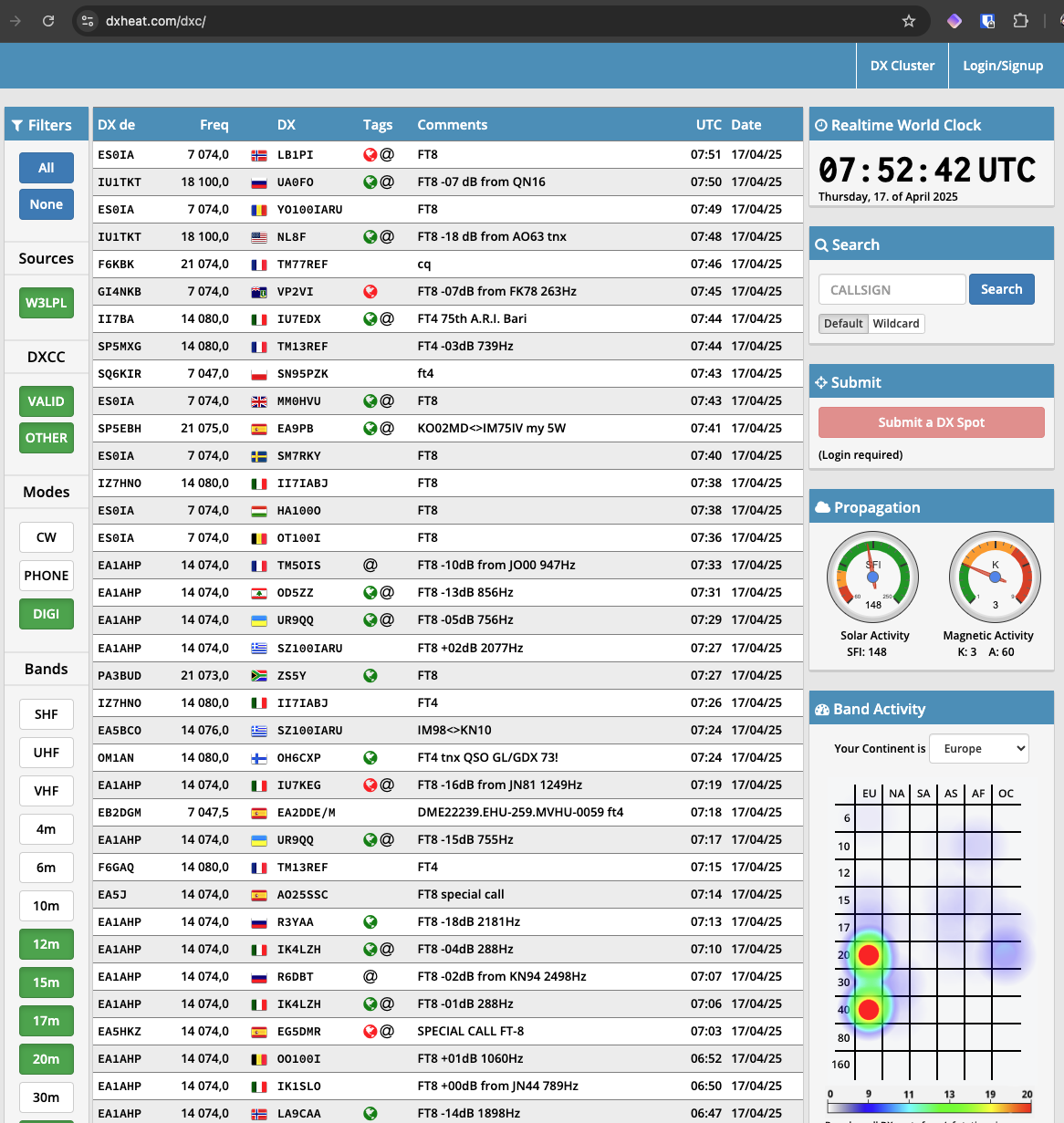
DXHeat – Real-Time Cluster with Filtering Options
DXHeat provides real-time DX spots with advanced filtering and propagation analysis. Features include:
- Heatmaps showing where signals are strongest
- Band activity trends
- Integration with spotting networks
Using DXHeat can help you track propagation patterns and find the best times to call DX stations.
Club Log – Tracking Special Stations
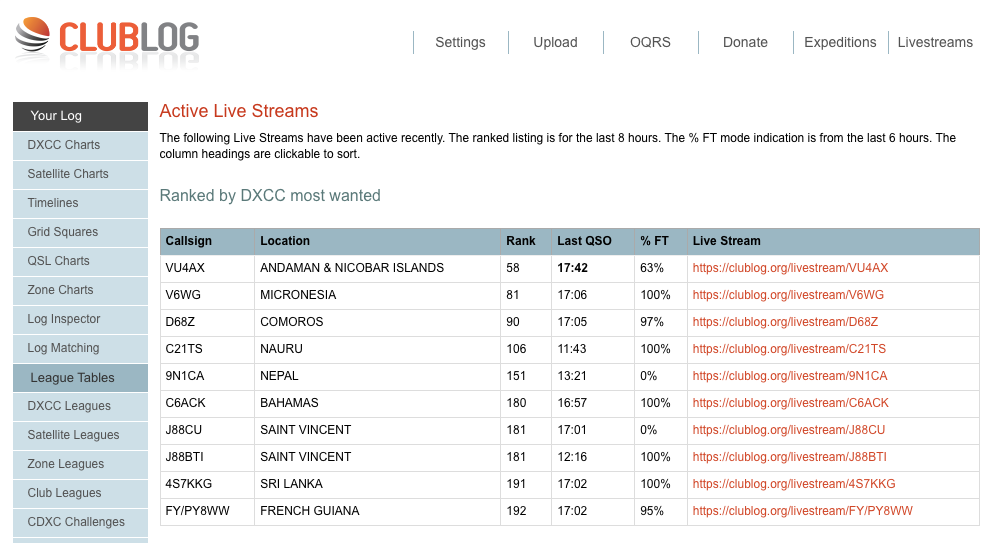
Club Log is an essential tool for DXers, offering real-time tracking of special stations. The Live Streams page displays recent DX spots, making it easier to locate rare stations.
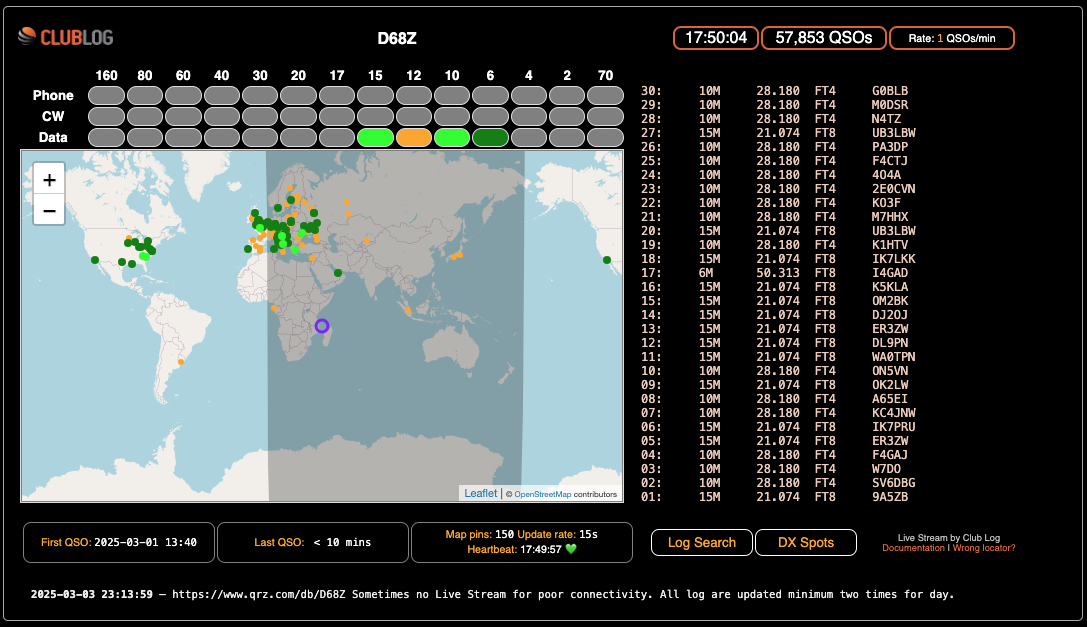
You can also follow a specific callsign to monitor its activity:
JTAlert – Enhancing WSJT-X on Windows
JTAlert is a must-have for FT8 and FT4 users on Windows. It provides:
- Alerts for wanted DXCC, grids, and callsigns
- Automatic logging to HRD, Log4OM, and other software
- Callsign lookups and worked-before notifications
To use JTAlert:
- Download and install WSJT-X
- Install JTAlert and configure it to work with your logging software
- Set alerts for rare stations or needed grids
HamAlert – Real-Time DX Notifications
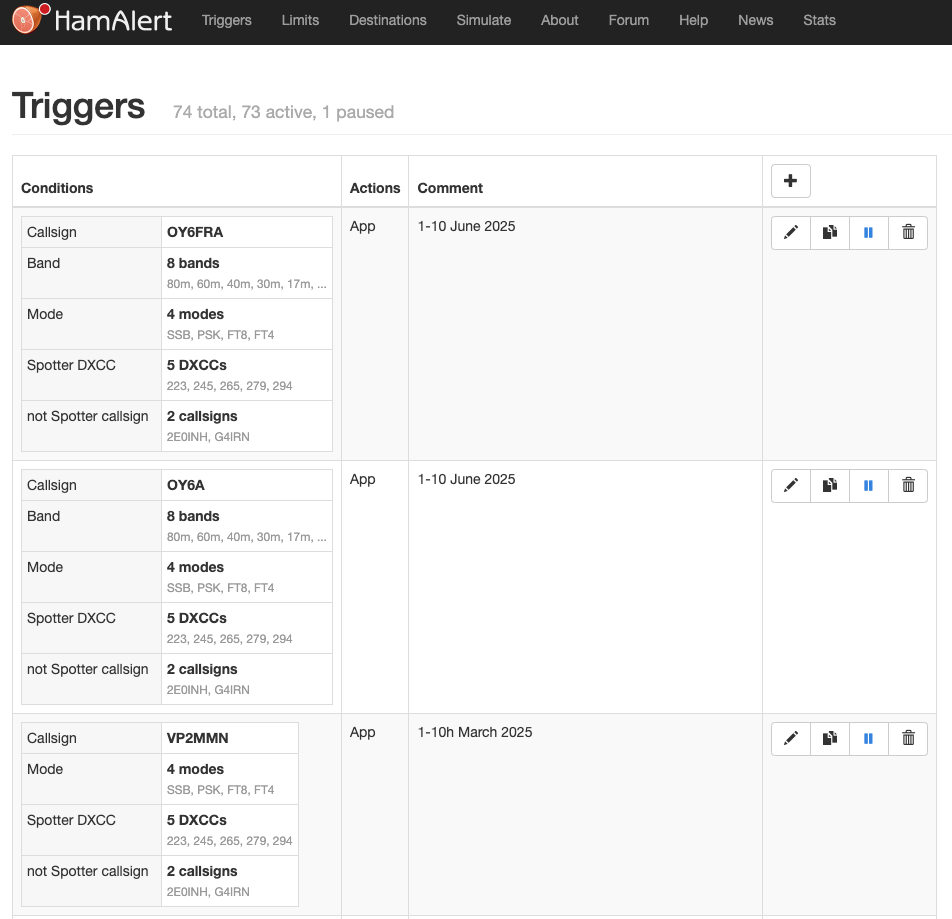
HamAlert is a powerful tool for receiving DX notifications via email, SMS, or push notifications. Features include:
- Custom alerts based on callsign, DXCC, grid, and mode
- Integration with RBN, DXCluster, and PSK Reporter
- Multiple filtering options to avoid unnecessary alerts
To set up HamAlert:
- Create an account on HamAlert
- Define alert rules based on your DXing preferences
- Receive notifications when your target stations are spotted
Fox & Hound Mode – Working DXpeditions
Fox & Hound mode is used for high-volume DXpeditions. Key tips:
- Hound (You): Transmit above 1000 Hz on the waterfall
- Fox (DX): Transmits multiple responses simultaneously
- Use WSJT-X in Fox & Hound mode
- Keep your power level reasonable to avoid QRM
- Be patient – the Fox may take a few cycles to respond
SuperFox Operation – Working Large Pileups
SuperFox is an enhancement of Fox & Hound for major DXpeditions. Key points:
- The Fox operates across a wide frequency range, transmitting multiple signals
- The Hound should follow frequency instructions carefully
- Ensure your software is up-to-date for compatibility
- Read the DXpedition’s operating guidelines before calling
Conclusion
Using tools like DXCluster, DXHeat, Club Log, JTAlert, and HamAlert can significantly improve your FT8/FT4 experience. Understanding Fox & Hound and SuperFox modes will help you work DXpeditions efficiently. Stay informed, use the right tools, and enjoy working new stations on FT8 and FT4!
Happy DXing!