Getting Started with FT8 and FT4
Introduction to FT8 and FT4
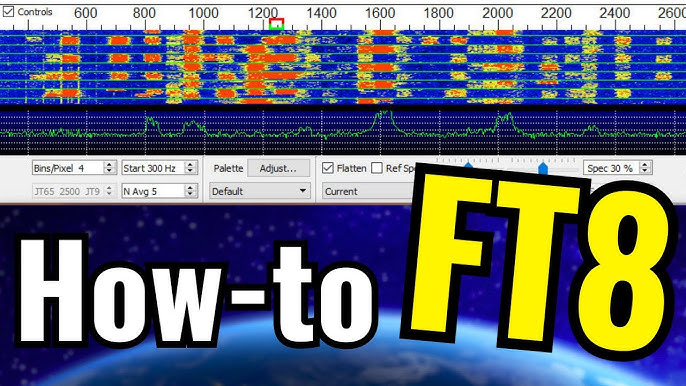
FT8 and FT4 are digital modes designed for weak-signal communication, particularly on HF bands. Developed by Joe Taylor (K1JT) as part of the WSJT-X software suite, these modes enable operators to make contacts even when signals are barely audible. FT8 is optimized for standard contacts with 15-second transmission cycles, while FT4 is faster with 7.5-second cycles, making it ideal for contesting.
Downloading WSJT-X and JTDX
To operate FT8 or FT4, you need software capable of encoding and decoding these signals. Two popular options are:
- WSJT-X: The original software developed by K1JT. It can be downloaded from the WSJT-X website.
- JTDX: A fork of WSJT-X with additional decoding enhancements. Download it from the JTDX website.
Make sure to install the latest version to benefit from improved decoding algorithms and bug fixes.
Operating FT8 and Making QSOs
1. Setting Up Your Radio and Software
- Connect your radio to a computer via a USB or audio interface.
- Configure CAT control in WSJT-X or JTDX to allow frequency changes.
- Select the appropriate audio input and output devices in the software settings.
- Tune your receiver and ALC, making sure not to overdrive your ALC
- Power levels should be between 5 - 40 watts
- Synchronize your computer clock using a time-sync tool like Meinberg NTP or Dimension 4.
- Configure a logger (e.g. QRZ, ESQL, LOTW(recommended), Clublog)
- Disable DNR, Contour, any filter settings on the radio
2. Operating FT8
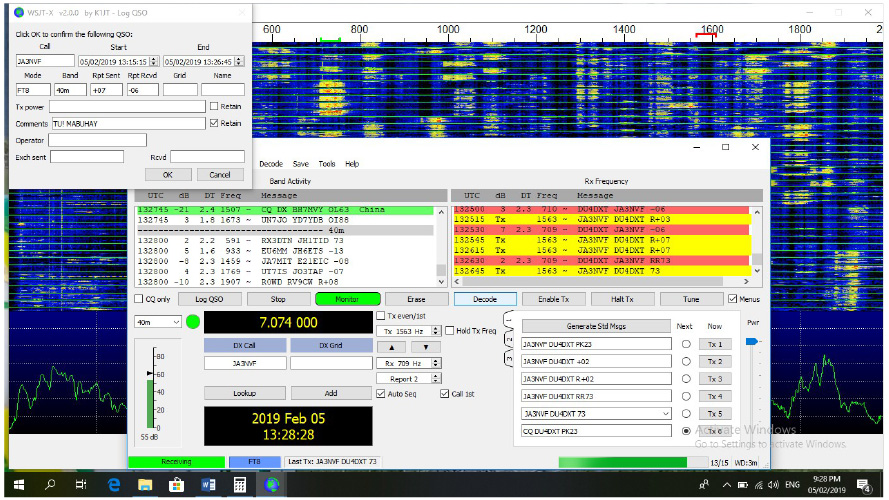
- Tune to an FT8 frequency (e.g., 14.074 MHz for 20m).
- Click Enable TX and select a clear frequency to transmit.
- Keep an eye on that ALC!, adjust power/preamps as necessary
- The software will automatically respond to CQ calls and complete the exchange.
- The standard exchange consists of signal reports (e.g., “-10 dB”), grid locators, and a final confirmation (73).
3. Getting Contacts (QSOs)
- Call “CQ” by clicking Enable TX or respond to an ongoing CQ call.
- Monitor the waterfall display to find strong signals.
- Use automatic logging features to log contacts directly into your logging software.
- Confirm contacts on QRZ.com or LoTW.
FT8 and FT4 are excellent modes for making worldwide contacts, even with low power and modest antennas. Get on the air and start making digital QSOs today!
If you have any questions or need help setting up, feel free to reach out!